
Proxies
Proxies are the addresses your tasks connect through. Orion keeps them in named lists, and each task takes its proxy from the list you pick when you make it.
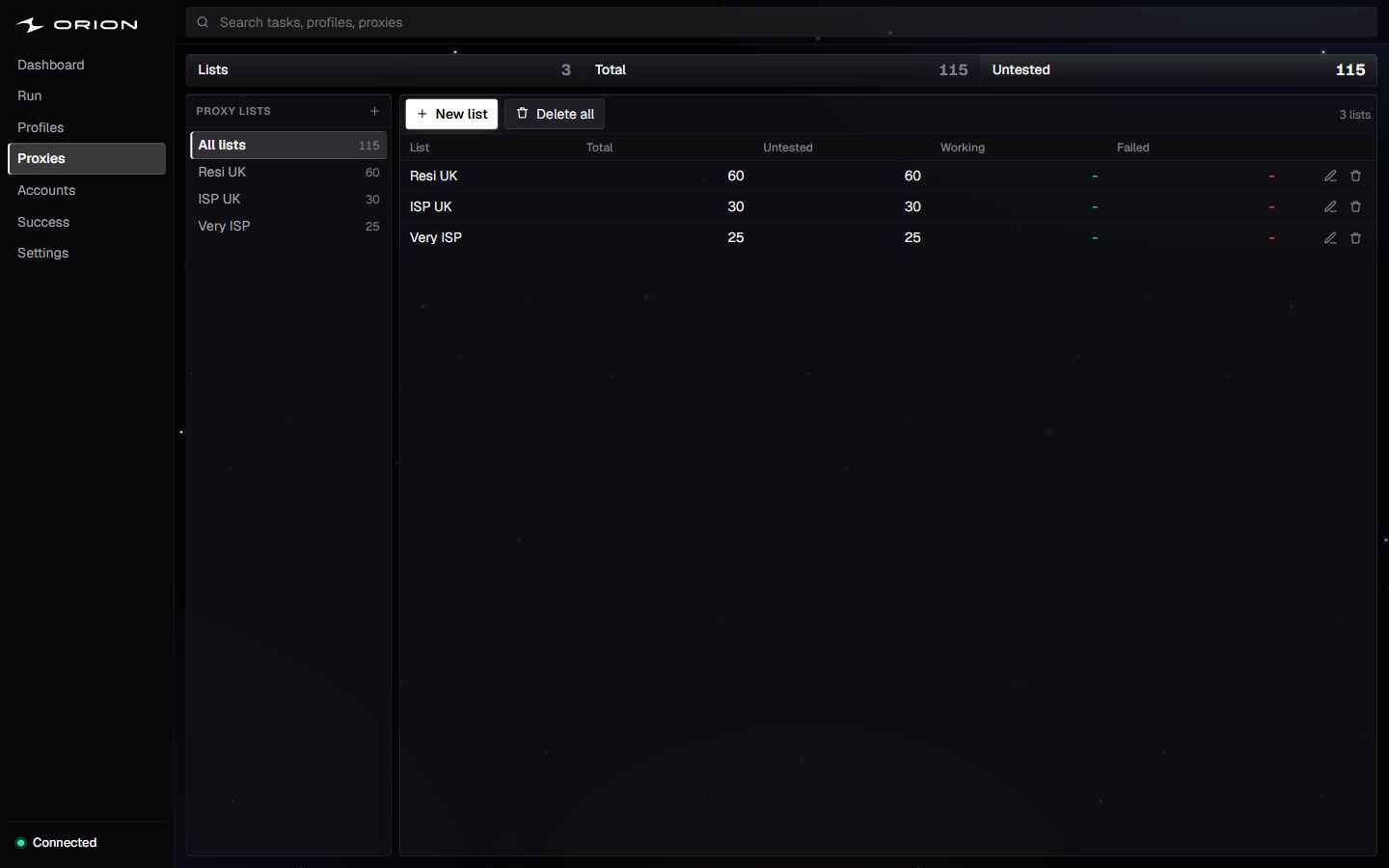 Three proxy lists.
The layout
- Figures along the top: Lists, Total, Untested, and after a test Working and Failed.
- PROXY LISTS on the left: All lists, then each list with its size. Hover a list to rename or delete it.
- New list makes a list. Delete all deletes every list.
Adding proxies
- Click New list and name it, for example
JL ResiorVery ISP. - Open the list and click Add proxies.
- Paste your proxies, one per line, and click Add.
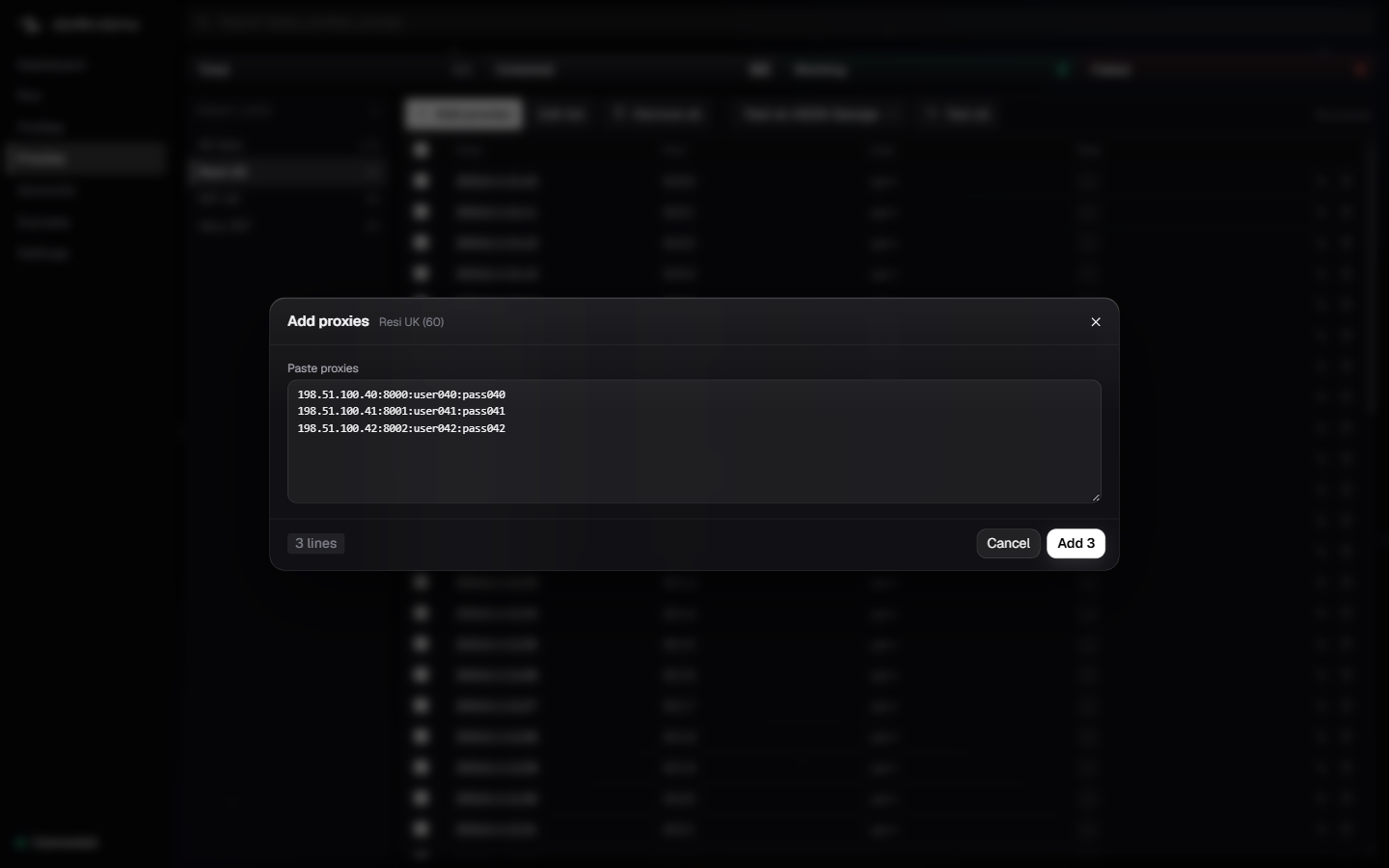 Pasting proxies into a list.
Both of these formats work:
text
host:port:user:pass
user:pass@host:port
Lines already in the list are skipped as duplicates, and lines that are not proxies are skipped as invalid.
Inside a list
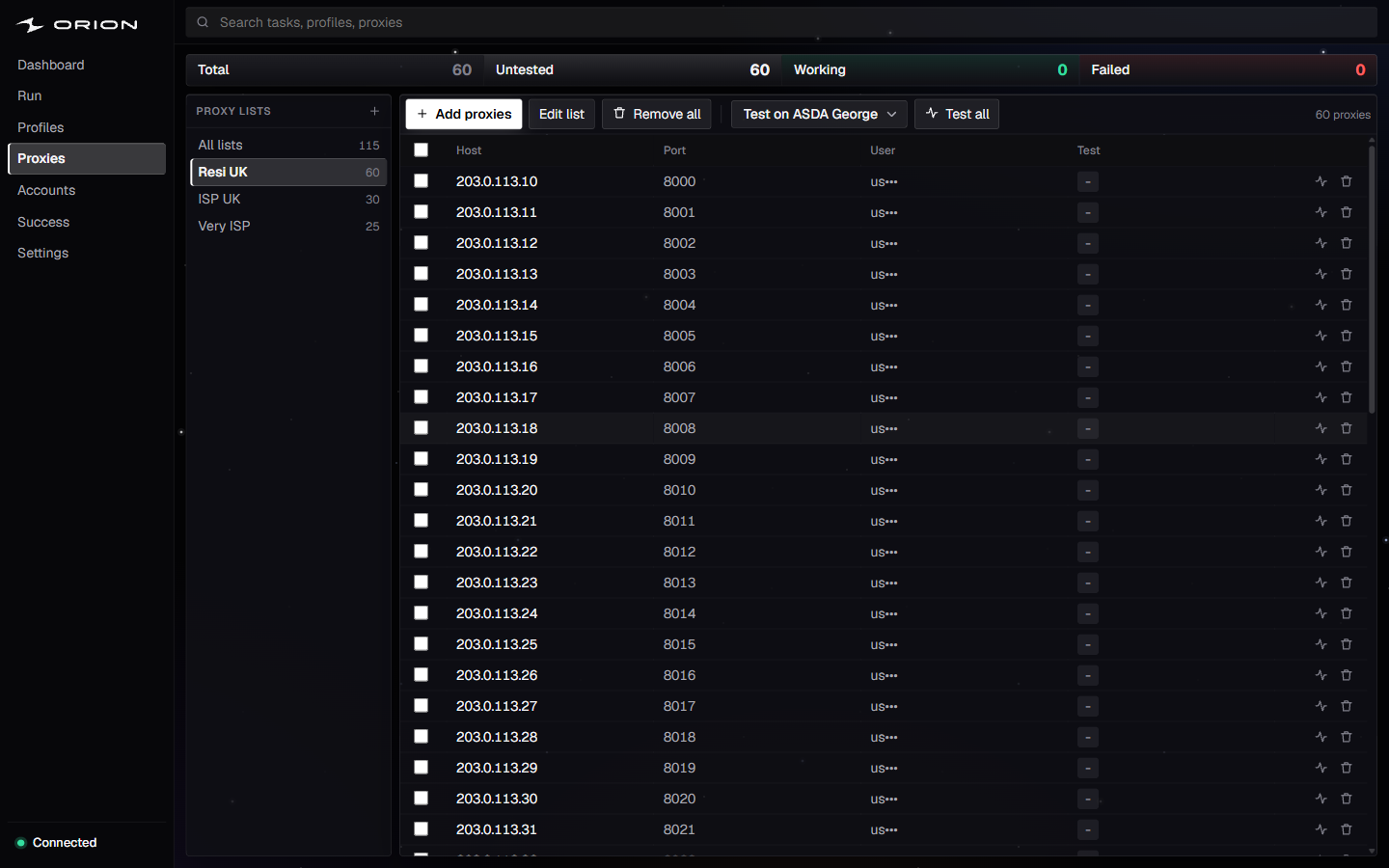 One list open.
- Add proxies: paste more in.
- Edit list: rename the list.
- Remove all: empty the list.
- Test on ...: pick where to test against: John Lewis, Very, ASDA George, or any site.
- Test all: tests every proxy in the list against that site. Results show as Working or Failed with a speed.
- Each row has Test and Remove.
The table shows host, port and the start of the username. Passwords are never shown.
How tasks use proxies
- When you make tasks, each one is given a proxy from the list that no other task is holding.
- When a list runs out of free proxies, tasks share them in turn.
- During a run, the list is also where a blocked task gets a fresh proxy.
- Editing a task to a different list gives it a new proxy from that list.
Recommendations
- Use residential or ISP proxies for buying. Datacenter proxies are usually blocked.
- Keep one list per site. A proxy that is blocked on one site may be fine on another.
- Very needs its own list. Name it with "very" in it (for example
Very ISP) and Orion picks it for Very tasks by default. Do not share a list between Very and John Lewis. - Test before a drop with Test all against the site you are running.
Proxies are stored on your PC only and never sent to Orion's servers. Hide proxies in webhooks in Settings keeps them out of your Discord posts too.